Eldorado · 2021
A bright, simple app for buying electronics
We redesigned and built the Eldorado mobile app for the retailer’s new brand identity: a light theme, an easier catalogue and product page, reviews, checkout and choosing a store on the map.
- Client
- Eldorado
- Platforms
- iOS, Android
- Year
- 2021
About the project
The new brand on every screen
Eldorado had updated its brand identity. The app needed to move to the new brand and become easier to shop in, from finding a product to placing the order.
We reworked the app’s UX/UI and built it. We replaced the dark theme with a light one and rebuilt the home screen, the catalogue with sorting and a filter, the product page, reviews and questions, checkout and choosing a store for pickup.
The app now uses the new brand’s colours and typeface. The light theme makes it friendlier for the whole family, and every step of a purchase has its own clear screen.
- UX/UI design
- Interaction design
- Redesign for a new brand
- Development
New brand
Eldorado changed its look. So did the app
The retailer updated its logo and brand colours. Our job was to carry the new style into the app and, along the way, rethink how people buy electronics in it.


Home screen
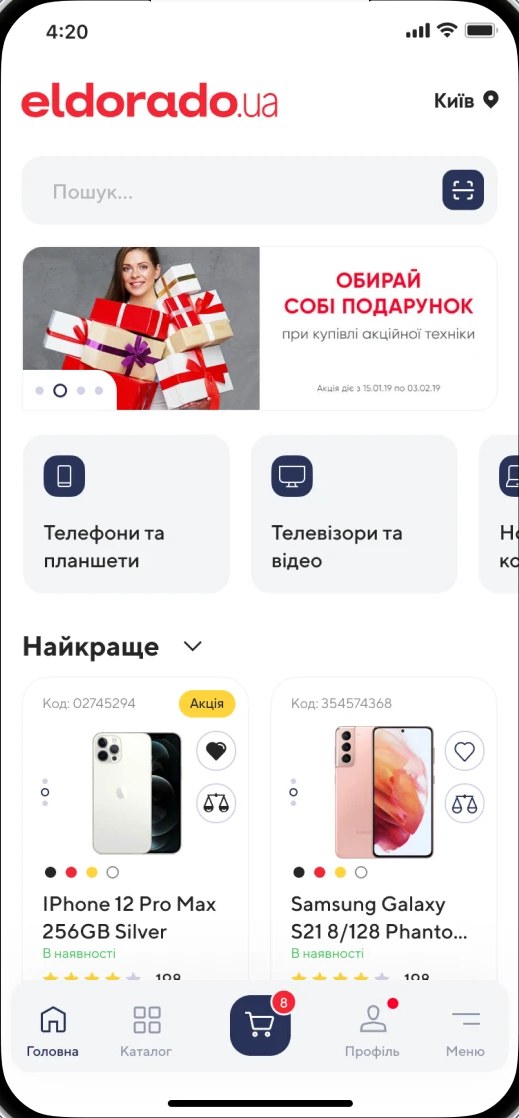
A light theme instead of a dark one
The most visible change: the app went light, which makes it friendlier for the whole family. Red stays for the main actions, navy goes to icons and secondary buttons.
123456- 01The city sits in the header
- 02Search on the first screen
- 03Categories as large cards with icons
- 04The “Best” picks switch to smartphones, TVs or laptops
- 05Product cards show the offer, stock and rating, with wishlist and compare buttons
- 06The cart sits in the middle of the tab bar, with a counter
Catalogue
From the list to the right model
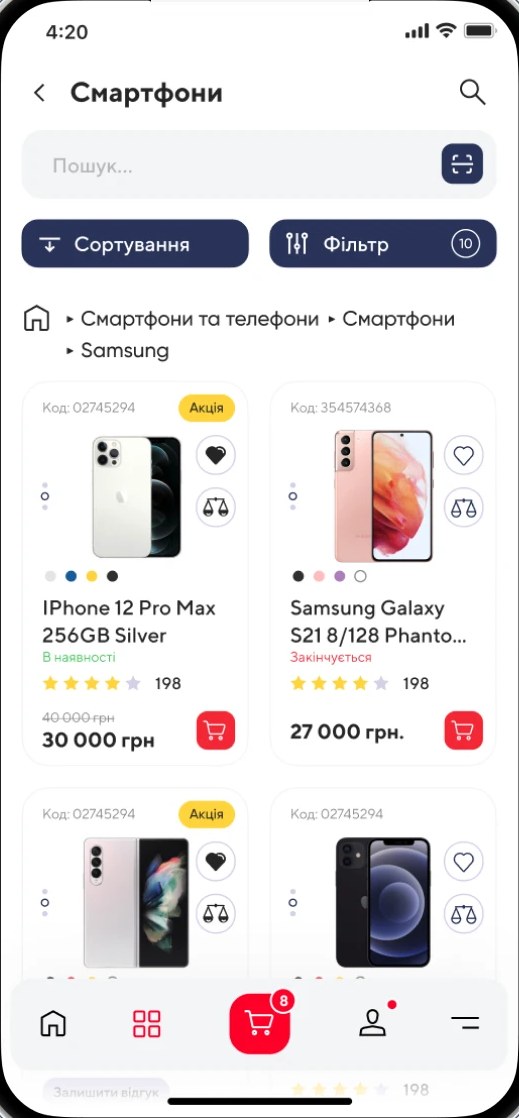
The catalogue got new sorting and a filter, and the product page puts what matters on the first screen.
Sorting and a filter above the list
The sort and filter buttons sit above the products, and breadcrumbs show which section you are in.
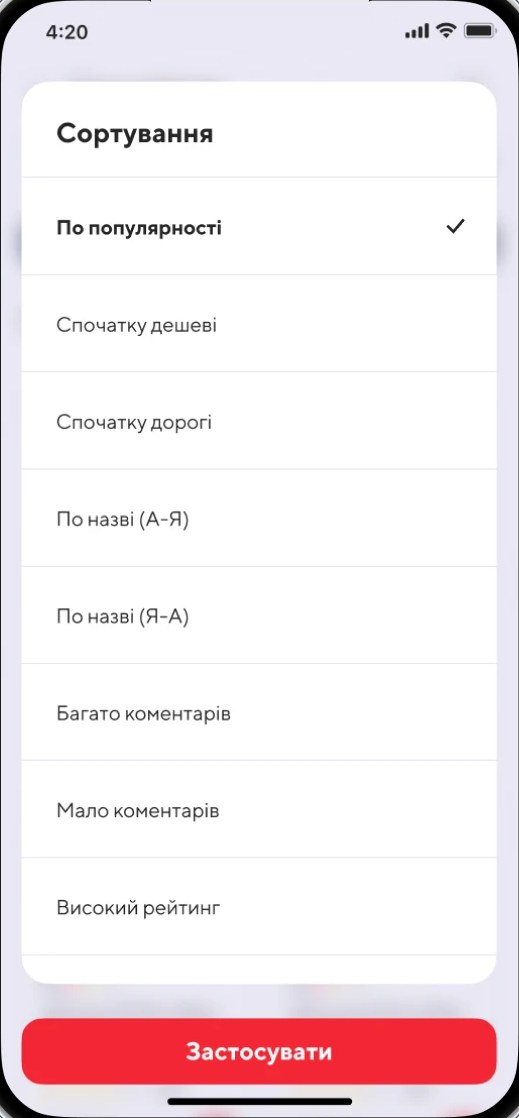
Eight ways to order the list
By popularity, price, name, number of comments or rating. The chosen option is ticked.
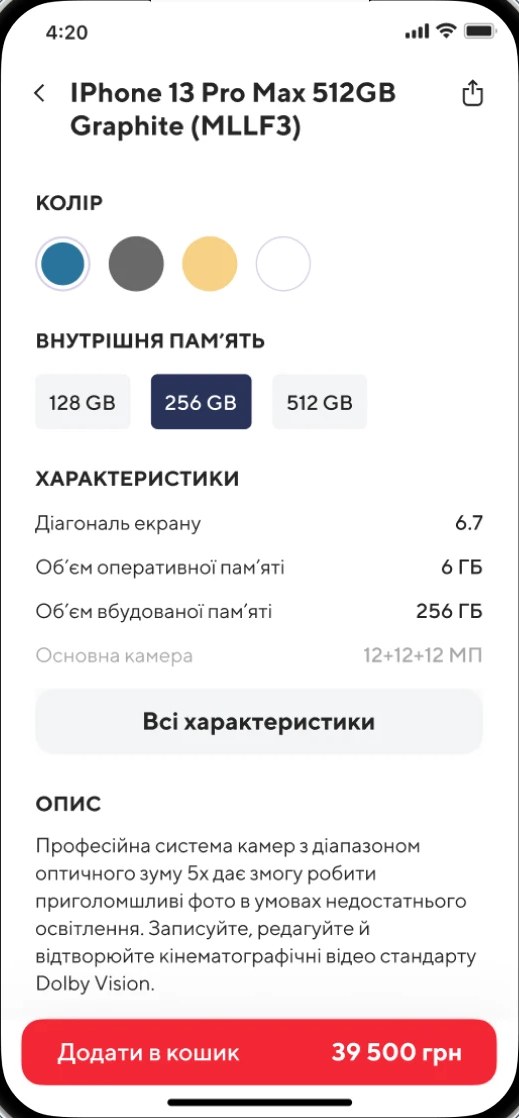
A product page without extra taps
Colour and storage are chosen on the product page itself, key specs and the description are visible at once, and the Add to cart button with the price stays at the bottom.
Reviews
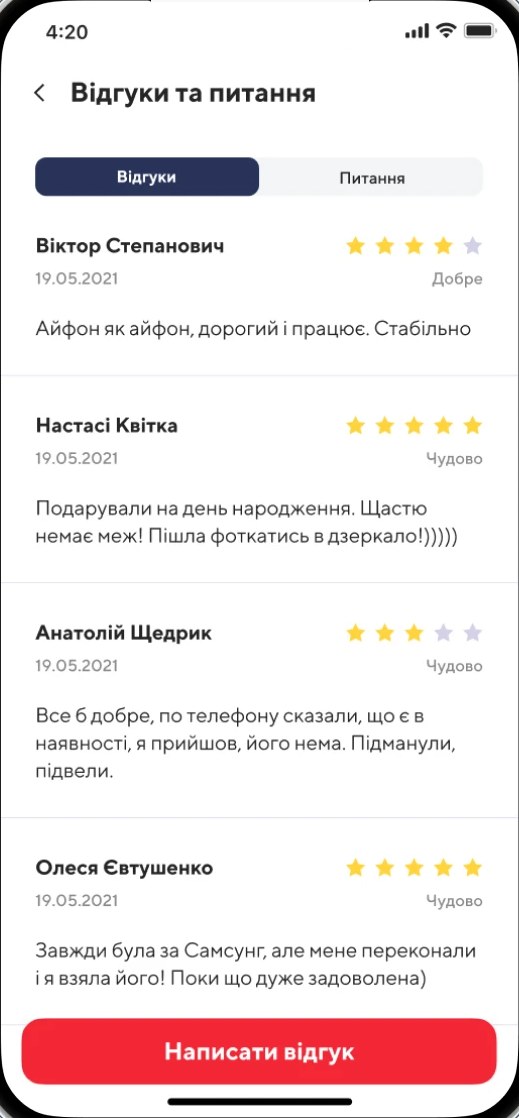
Reviews and questions next to the product
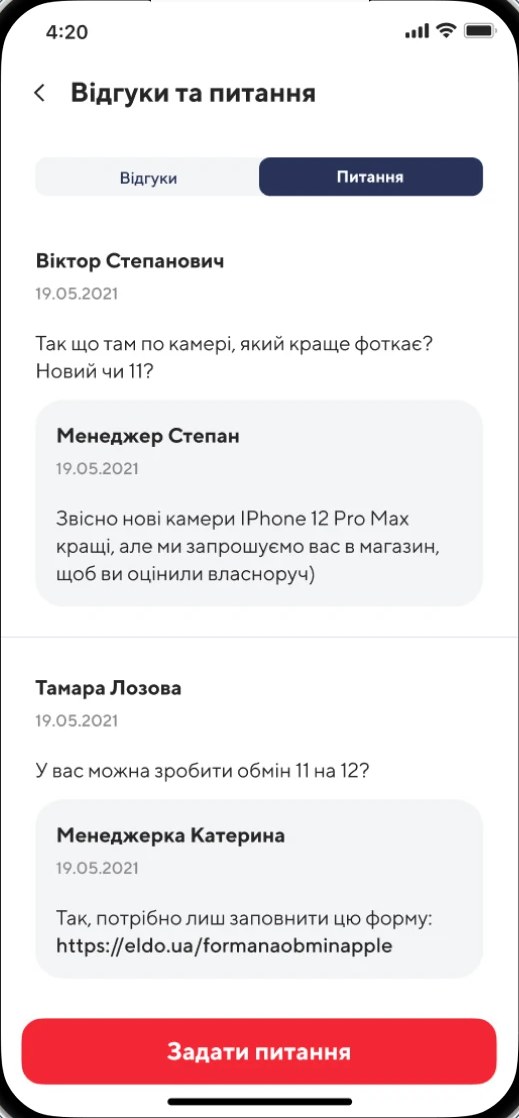
Other buyers’ experience often decides the purchase. So reviews with ratings get their own screen, and the next tab lets people ask a question. A store manager answers.
Checkout
Ordering step by step
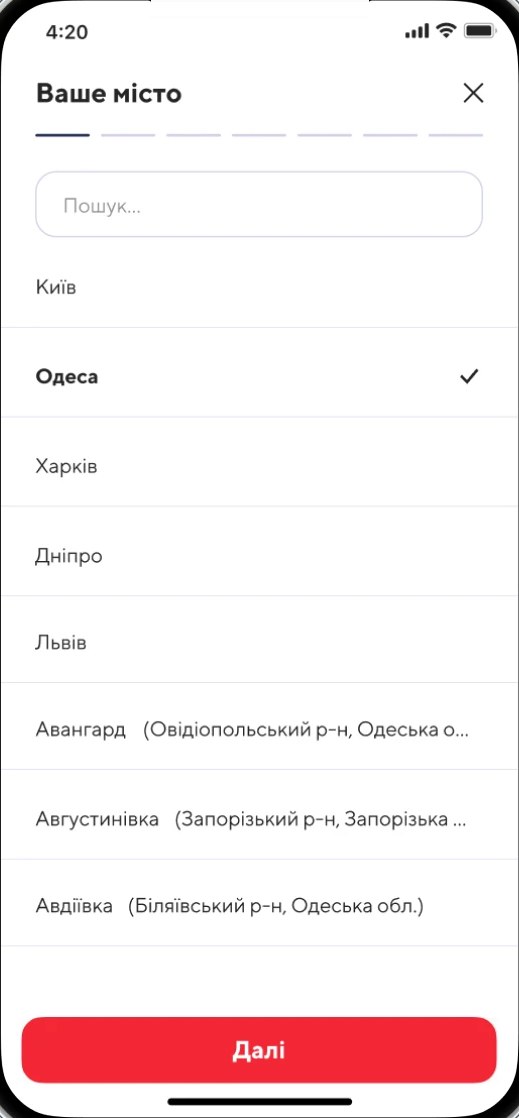
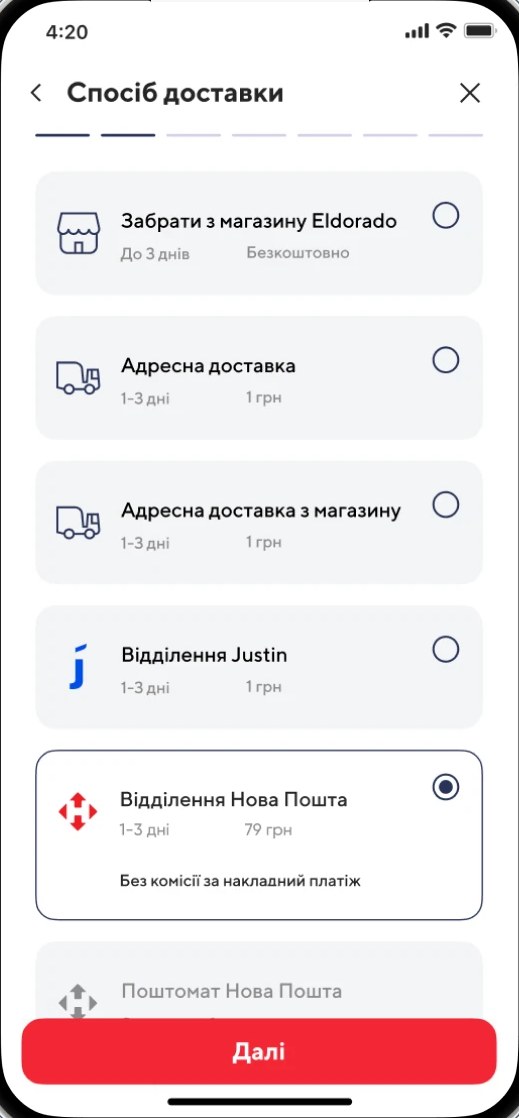
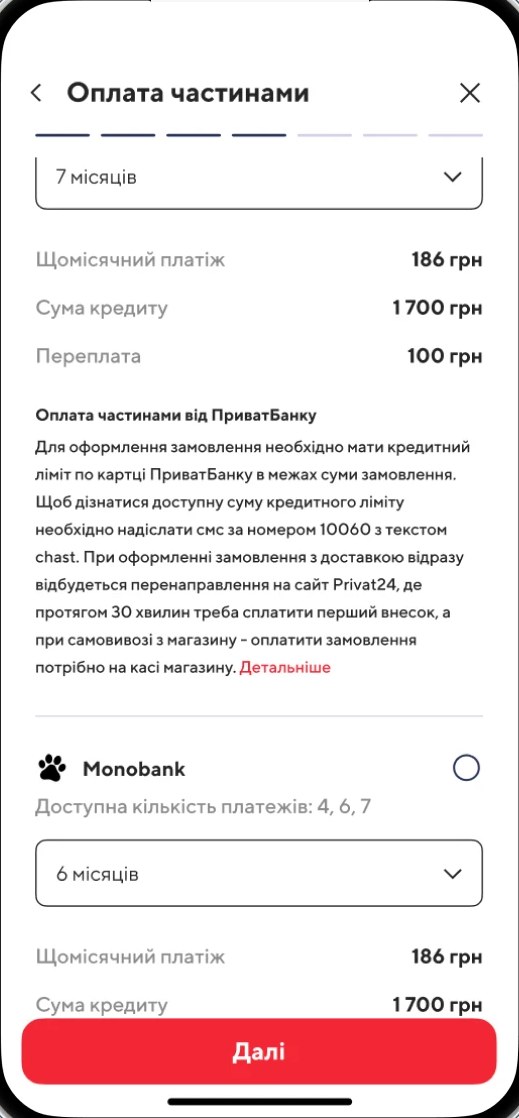
Checkout is one of the biggest parts of the app. Every step has its own screen, and the bar at the top shows how many are left.
City
Search by name, with the largest cities at the top of the list.
Delivery method
Pickup from an Eldorado store, home delivery, a Justin branch, a Nova Poshta branch or parcel locker. Each option shows its delivery time and price.
Paying in instalments
Instalments from PrivatBank or Monobank. The monthly payment, the loan amount and the overpayment are calculated right away.
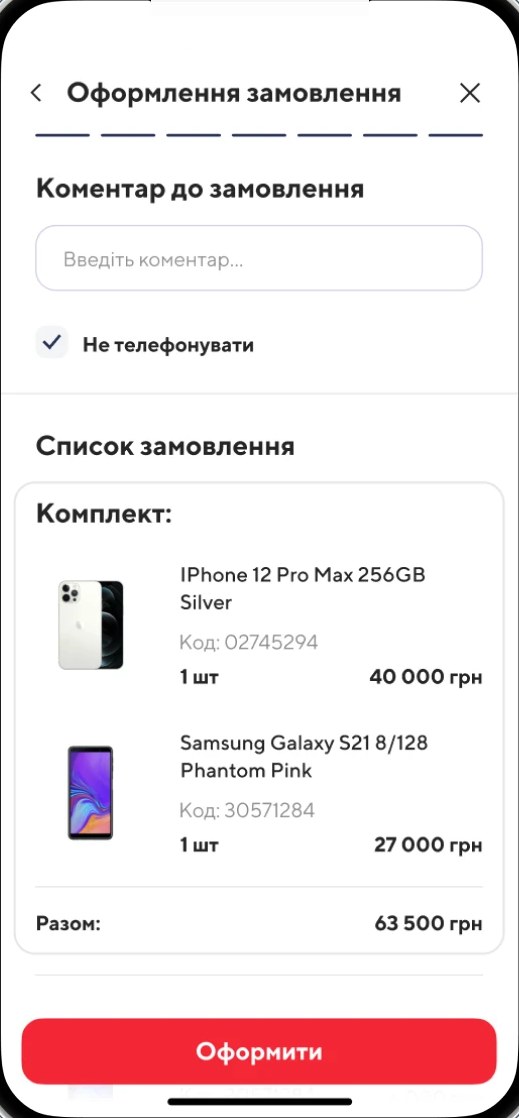
Order review
A comment, a “Don’t call me” option and the full list of items with the total, right before the Place order button.
Stores
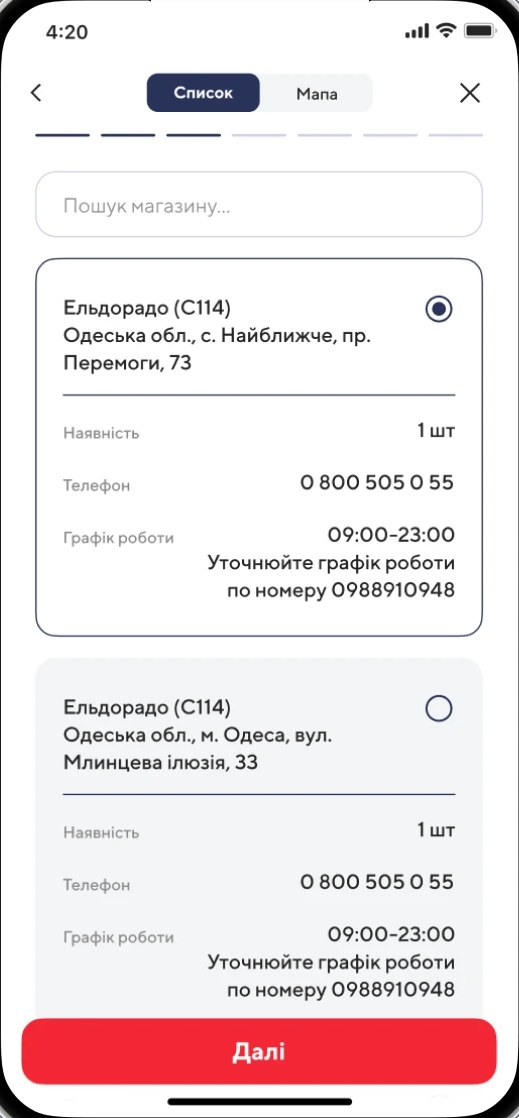
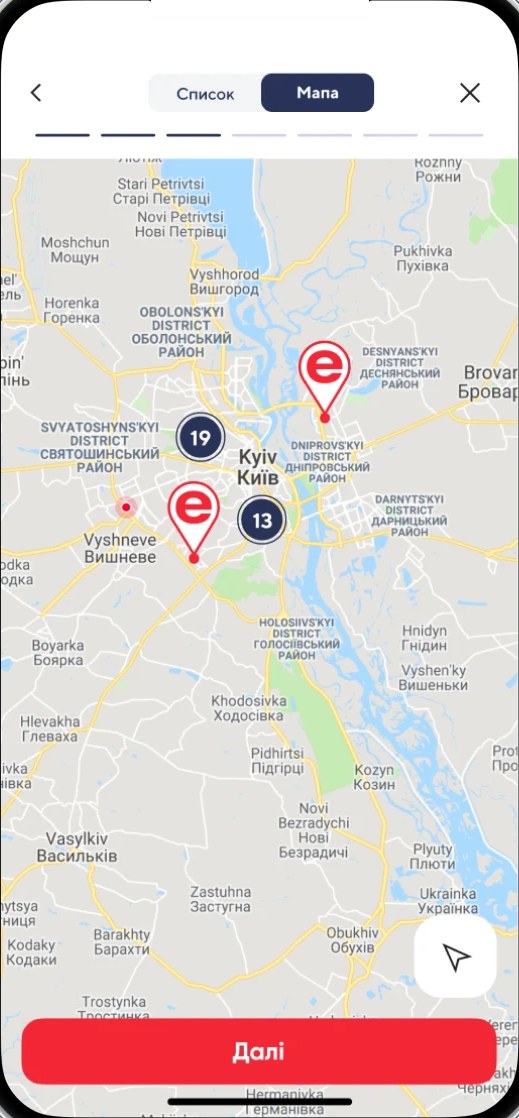
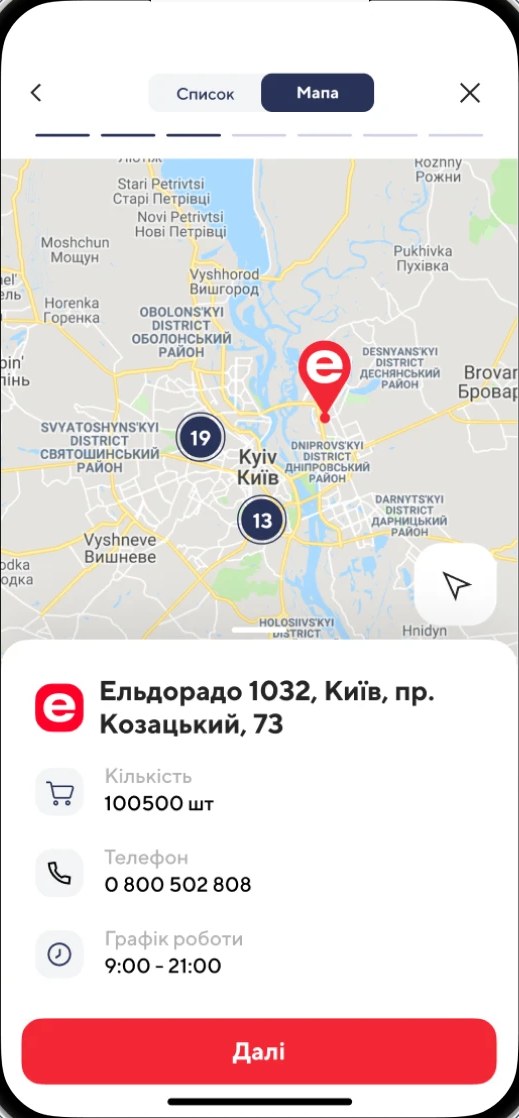
The nearest store on the map
For pickup, people choose a store from a list or on the map. The store card shows whether the item is in stock, the phone number and opening hours.
Style
The new brand’s colours
The typeface is TT Norms in three weights: Bold, Medium and Regular.
#F32735Main actions and the logo#293358Icons and secondary buttons#D3D1E7Supporting background#F4F5F7Search fields and category cardsWant the same?
Let’s talk about your project
A redesign and build of the Eldorado electronics retailer’s app for its new brand: a light theme, the catalogue, product pages, checkout and stores on the map.