Nova Poshta · 2015–2017
Parcels and couriers on the phone for Ukraine’s largest delivery company
We designed and built the iOS and Android app in which customers track parcels, call a courier, find a branch and keep their customer card on the phone. The app came out in October 2015.
- Client
- Nova Poshta
- Platforms
- iOS, Android
- Year
- 2015–2017
At a glance
Rethink the app’s interface for screens of different sizes. Give customers clear delivery tracking, a courier call and full information about branches, and replace the plastic customer card with the app.
We went from sketches and flow prototypes to the interface for phones and tablets, and built the app for iOS and Android: a home screen with four actions, tracking, a parcel card, a courier call with a cost estimate, branches on a map and the customer card.
After 9 months of development the app came out on the App Store and Google Play in October 2015 and reached 400,000 users in its first 2 months. We then supported it for 2 more years. In our view it set the bar for the logistics apps that came after it. Short-listed at Ukrainian Design: The Very Best Of 2016 and App of the Day on App Design Served in 2015.
- Prototyping
- UX/UI
- iOS development
- Android development
- Support
Launch
User count according to the theMakeApp project team.
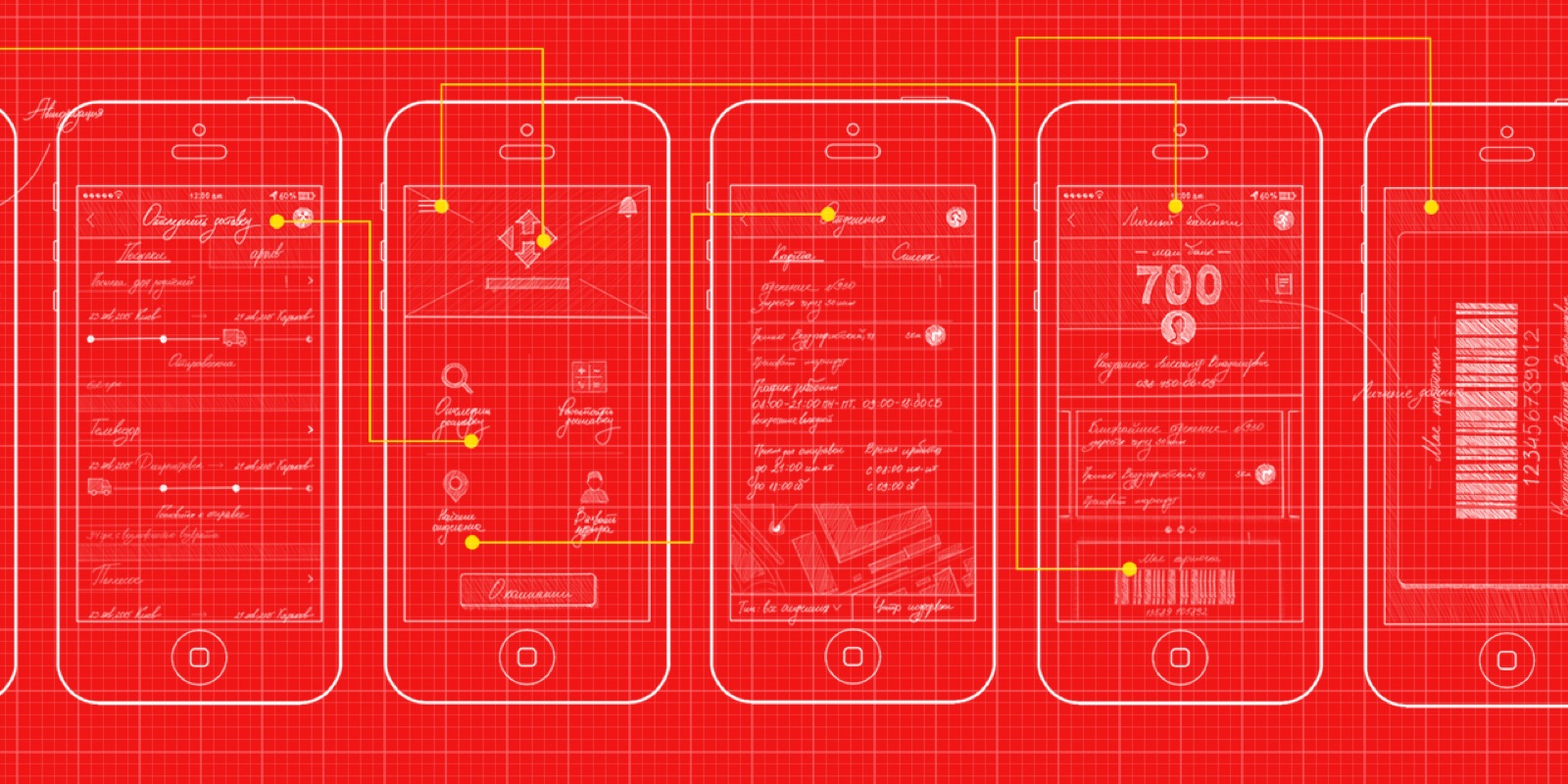
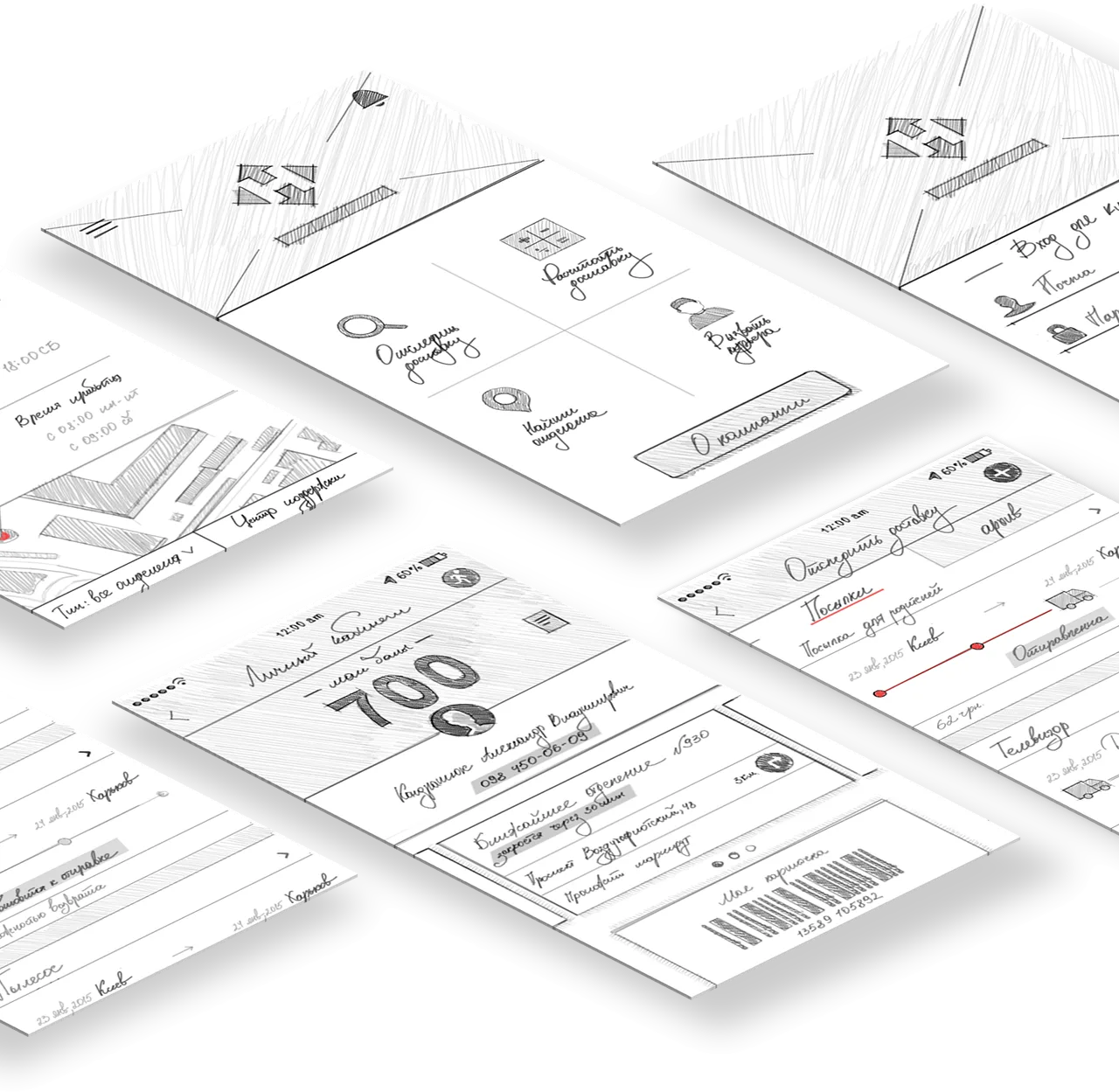
Prototypes
From sketch to screen
We started with sketches and flow prototypes and only then drew the finished screens for iOS and Android.
The app
The whole delivery in a few taps
Pick a step and the phone shows the app screen.
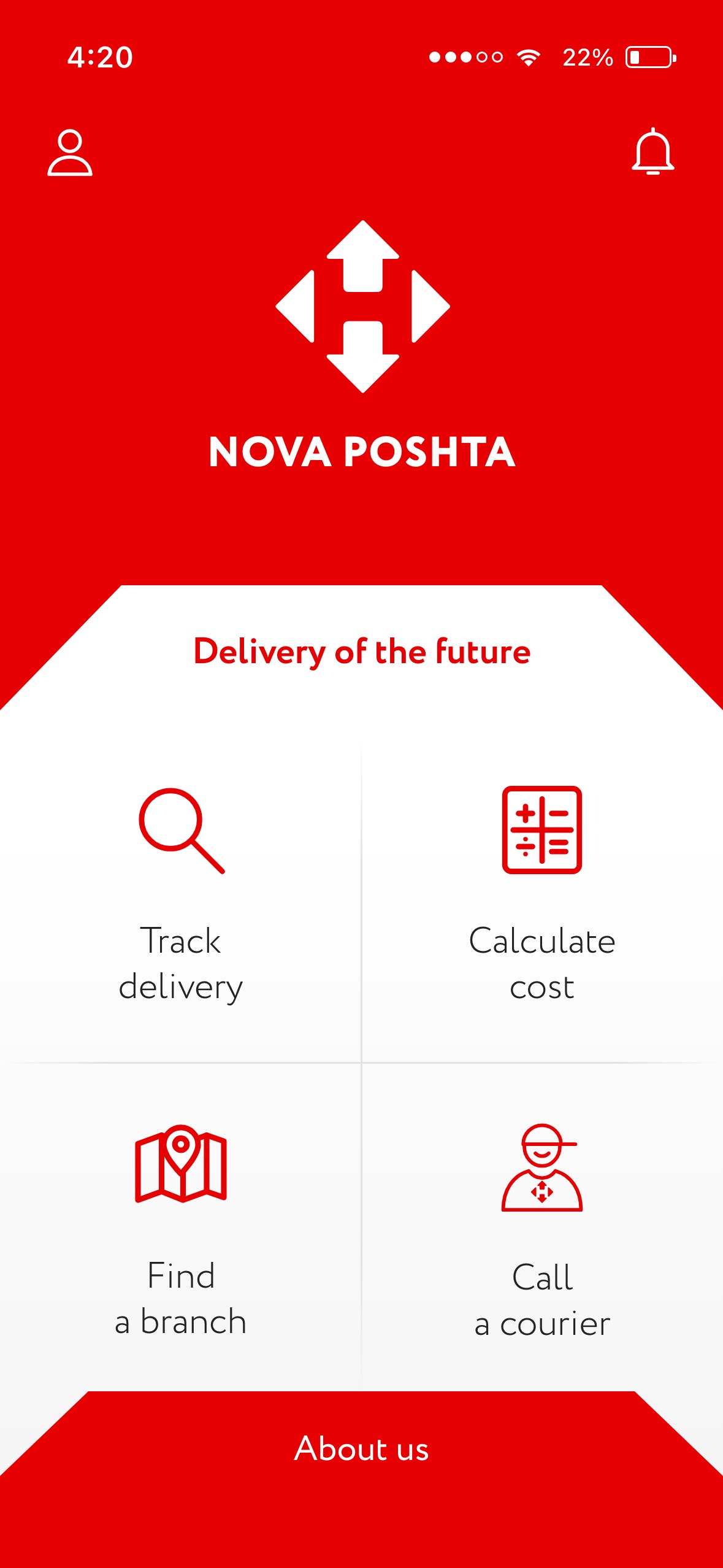
Four actions on the first screen
Track a delivery, estimate the cost, find a branch and call a courier. The home screen comes down to these four buttons, so a customer sees at once where to start.
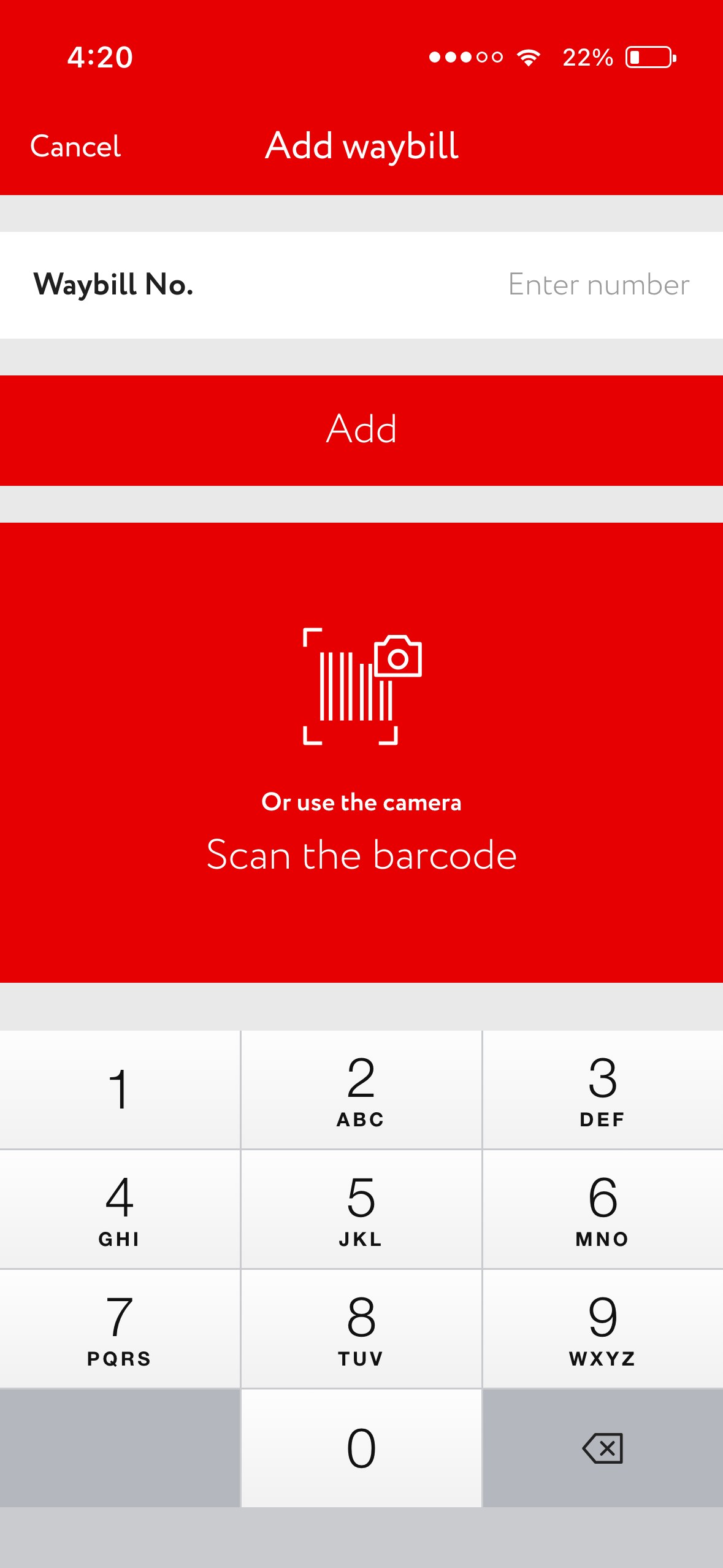
The waybill number
The waybill number can be typed in or scanned from the barcode with the camera.
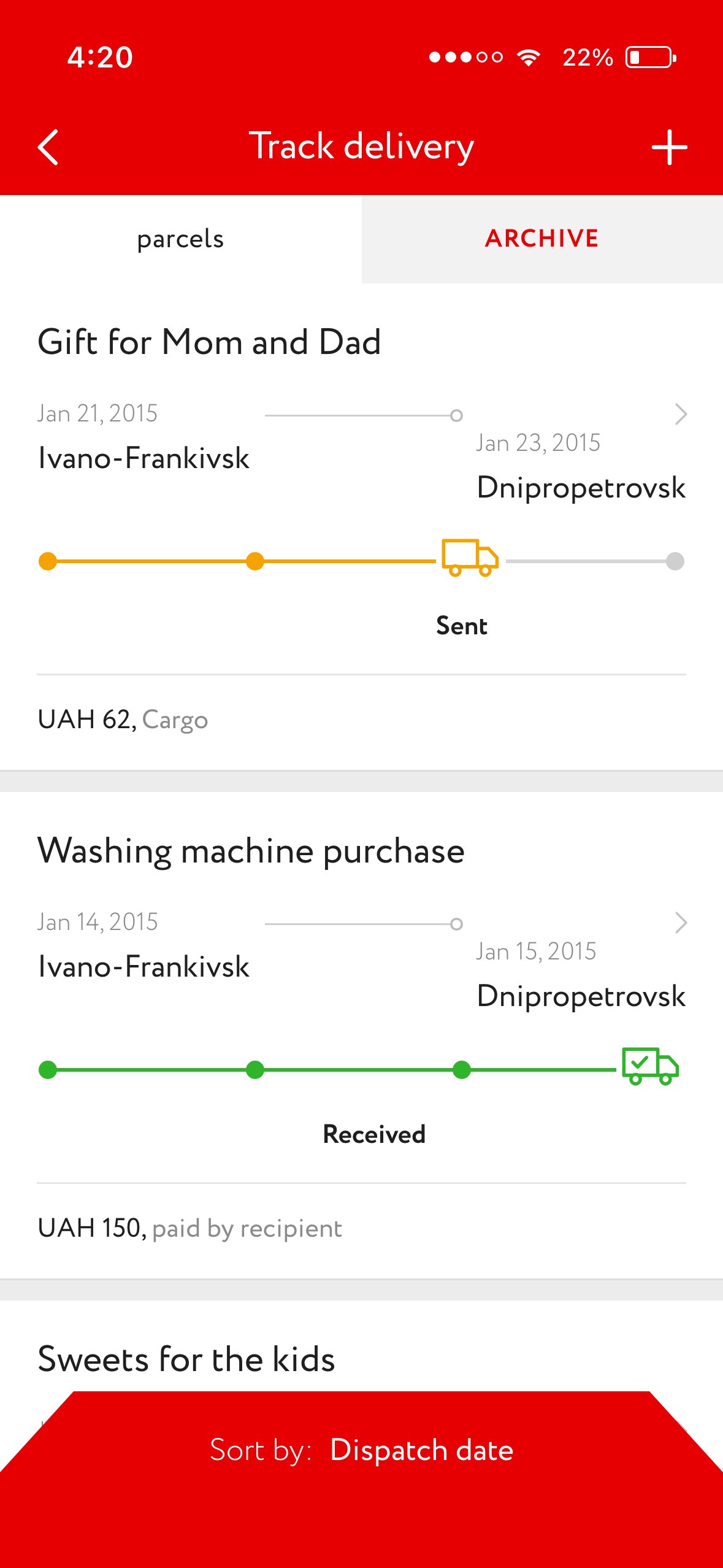
Where the parcel is, at a glance
Parcels sit in a list with a progress bar showing where from, where to and which stage the delivery is at.
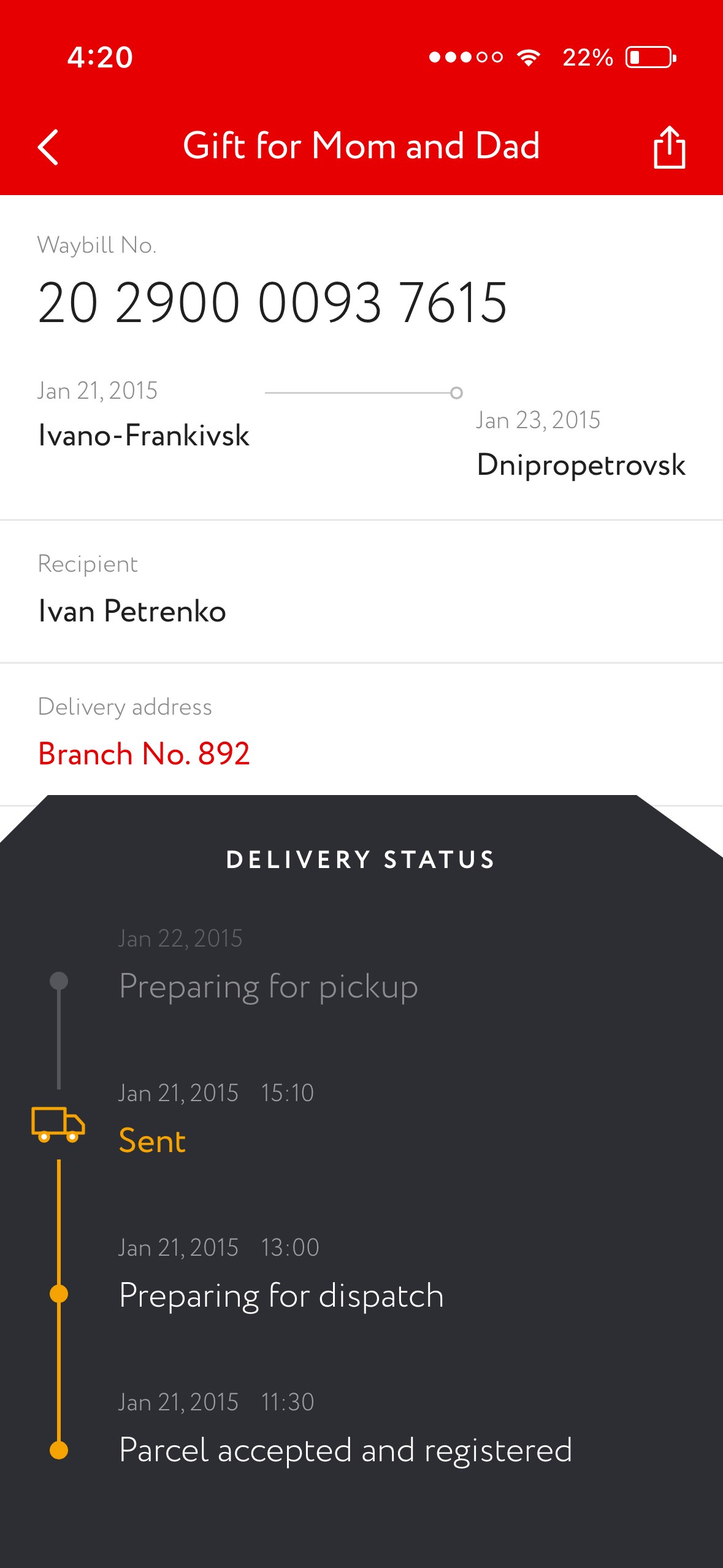
The whole parcel on one screen
Sender, recipient and the delivery progress sit on one card. The status history opens on top of it.
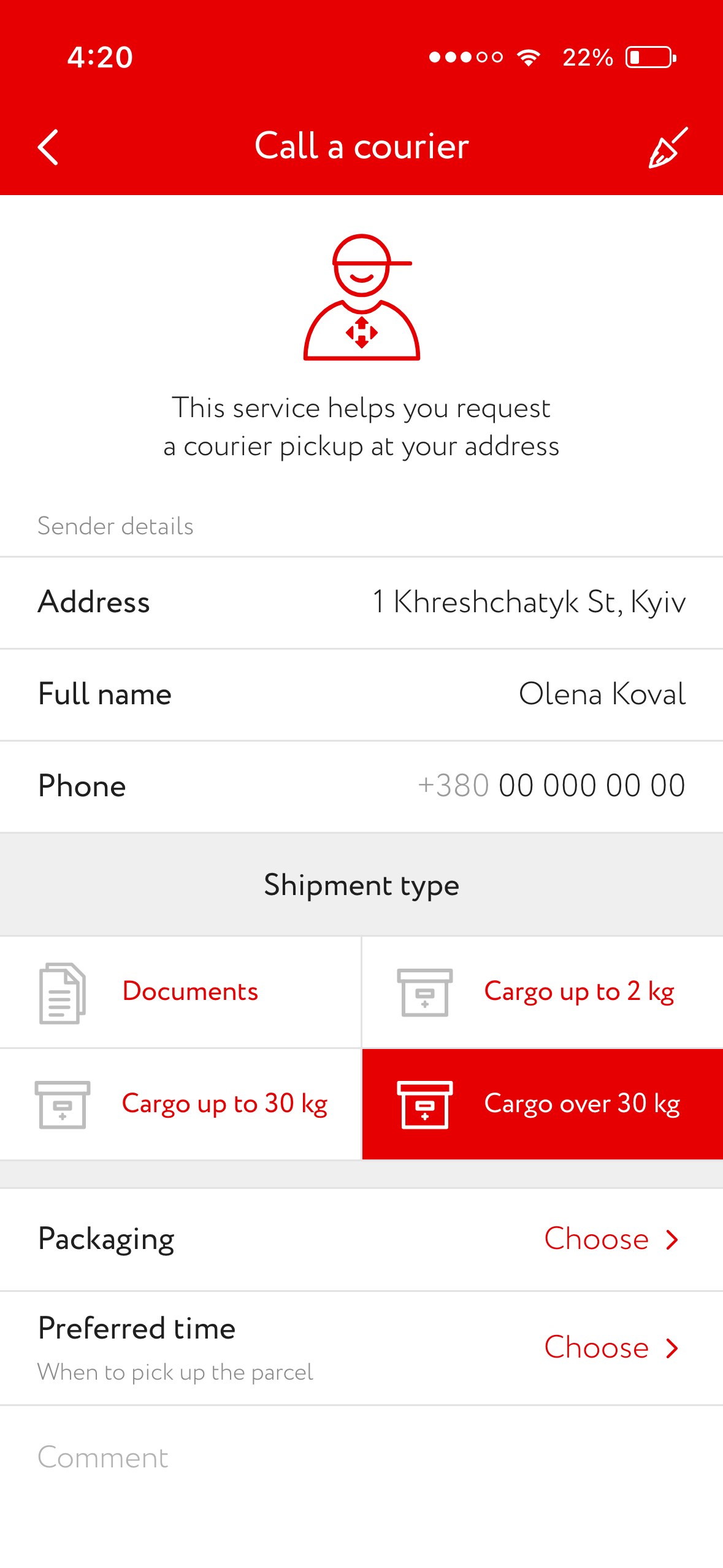
Calling a courier
Estimating the cost and calling a courier takes one tap. The form holds the address, name and phone, the type of shipment, the packing and a convenient time.
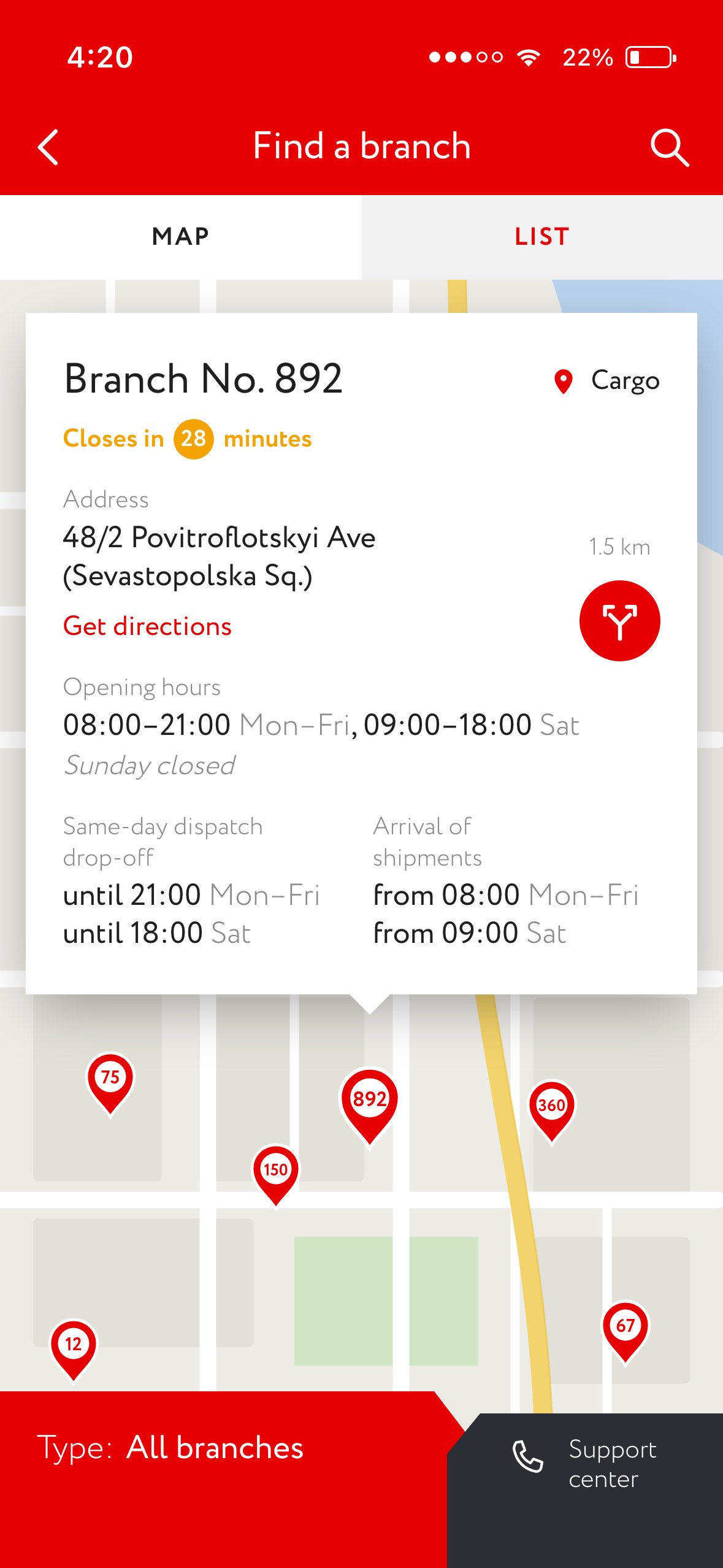
The nearest branch
Branches on a map and as a list. A branch card has the address, opening hours, distance, type and the cut-off time for same-day sending.
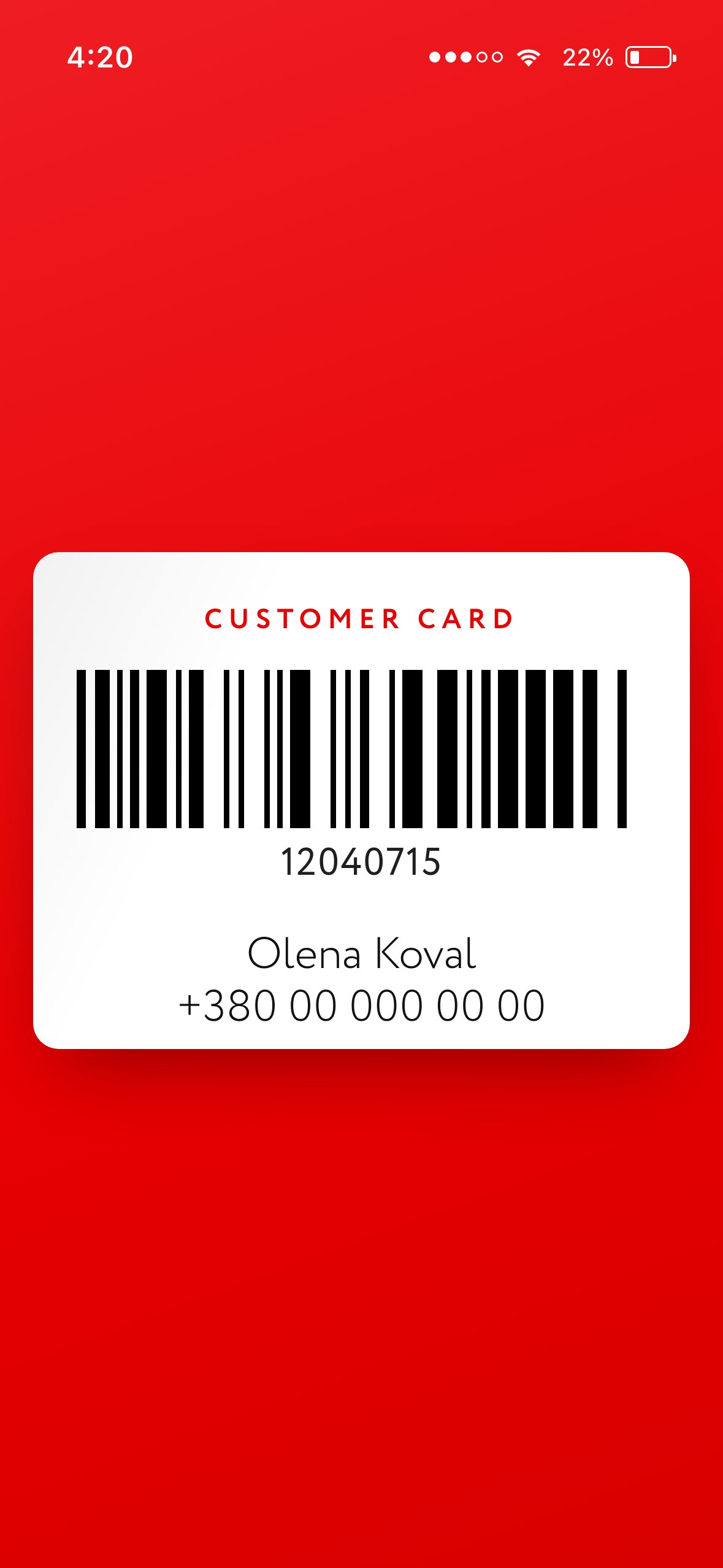
The customer card on the phone
The plastic card is no longer needed: it lives in the app. Just turn the phone 90°.
Features
What is in the app
Customer card
The plastic card is no longer needed: it lives in the app. Just turn the phone 90°.
Tracking
A clear, detailed delivery history for every parcel.
Info
Parcel, sender, recipient and delivery progress on one screen.
Courier
Delivery cost and a courier call in one tap.
Branches
Opening hours, distance and type of every branch.
Want the same?
Let’s talk about your project
An app to track parcels, call a courier and find a branch. Released in October 2015.